前言
前幾個月很多 AI 都提供 Terimal 使用的使用這可以在更底層讓AI發會跟好的效果;這之前還是會先把 Powershell 用的好看一點,就像主機板也需要主機外殼一樣才會讓使用者看得舒服。
以前寫的 VS Code 亂碼問題,可以透過這篇解決。
什麼是 OhMyPosh?
OhMyPosh 是一個用於美化終端機提示字元(Prompt)的工具,支援多種 Shell(如 Powershell、Bash、Zsh),並且可以自訂主題,讓你的命令列更美觀、資訊更豐富。
需準備以下動作
- Power Shell 7 以上的 Terminal (需要用到 PSReadLine)
- 【選用】Everything
安裝 OhMyPosh
快入設定可透過這篇文章 : 快速前往
開啟 Powershell,執行以下指令安裝 OhMyPosh:
winget install JanDeDobbeleer.OhMyPosh -s winget安裝字型(建議使用 Nerd Font):
- 下載 : Nerd Font
建議使用 JetBrainsMono 系列的幾個檔案安裝
- JetBrainsMonoNLNerdFontMono-Bold
- JetBrainsMonoNLNerdFontMono-BoldItalic
- JetBrainsMonoNLNerdFontMono-Light
- JetBrainsMonoNLNerdFontMono-Regular
設定 Powershell OhMyPosh Theme 方式
編輯 Powershell 個人設定檔:
 [System.IO.Directory]::CreateDirectory([System.IO.Path]::GetDirectoryName($PROFILE))

 if (-not (Test-Path -Path $PROFILE -PathType Leaf)) {
 New-Item $PROFILE -Force
 }
在設定檔中加入以下內容:
這個內容會直接載入效果,但不會直接永久套用。如果要永久套用需要加入
$PROFILEoh-my-posh init pwsh --config "$env:POSH_THEMES_PATH\<主題名稱>.omp.json" | Invoke-Expression<主題名稱>可選擇預設主題或自訂主題。 參考 theme 網站
永久套用到 powershell
'oh-my-posh init pwsh --config "$env:POSH_THEMES_PATH\customspace.omp.json" | Invoke-Expression' | Out-File -LiteralPath $PROFILE -Append -Encoding utf8
製作專屬主題
配置
找到之前指令 oh my posh 安裝位置
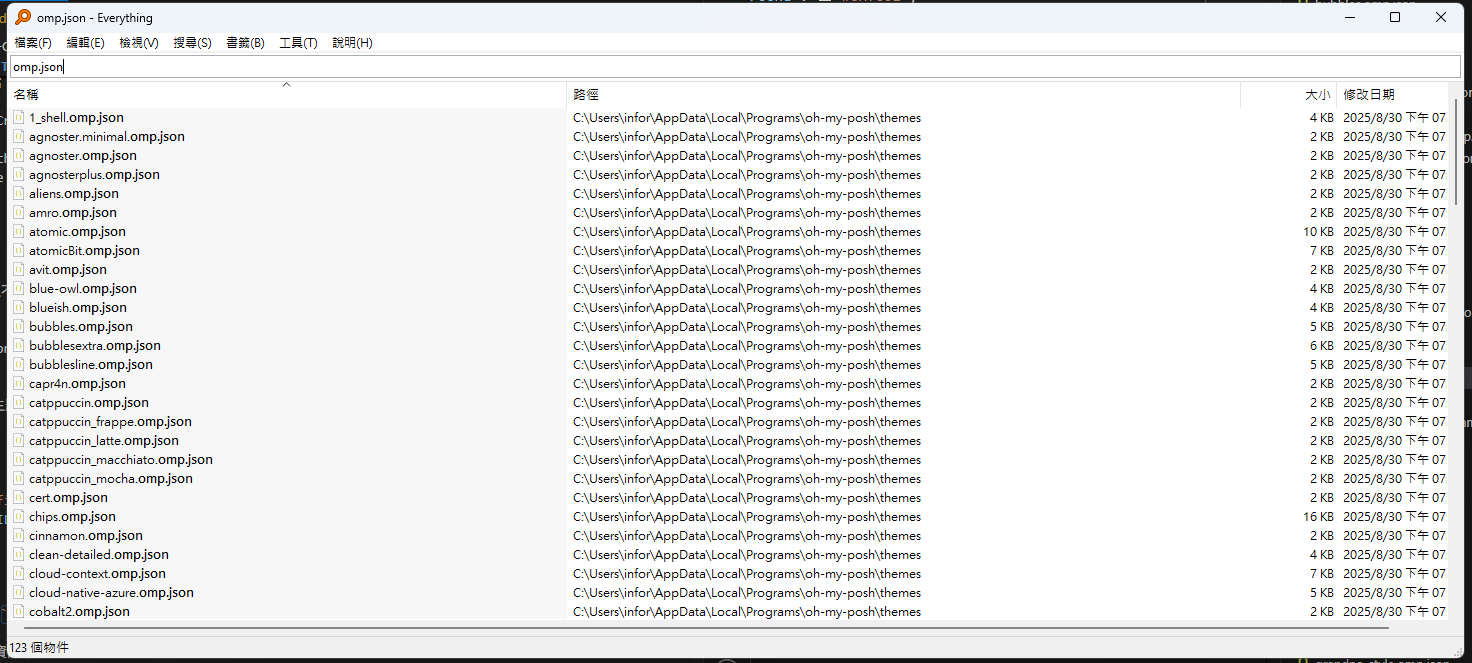
前往入口並創建
customspace.omp.json,可以參考期望的樣式套用過去。設定
$PROFILE指向你的自訂主題。# 設定當前效果 oh-my-posh init pwsh --config "$env:POSH_THEMES_PATH\customspace.omp.json" | Invoke-Expression # 套用 'oh-my-posh init pwsh --config "$env:POSH_THEMES_PATH\customspace.omp.json" | Invoke-Expression' | Out-File -LiteralPath $PROFILE -Append -Encoding utf8ICON 亂碼問題
Termail (Power Shell 7 設定方式)
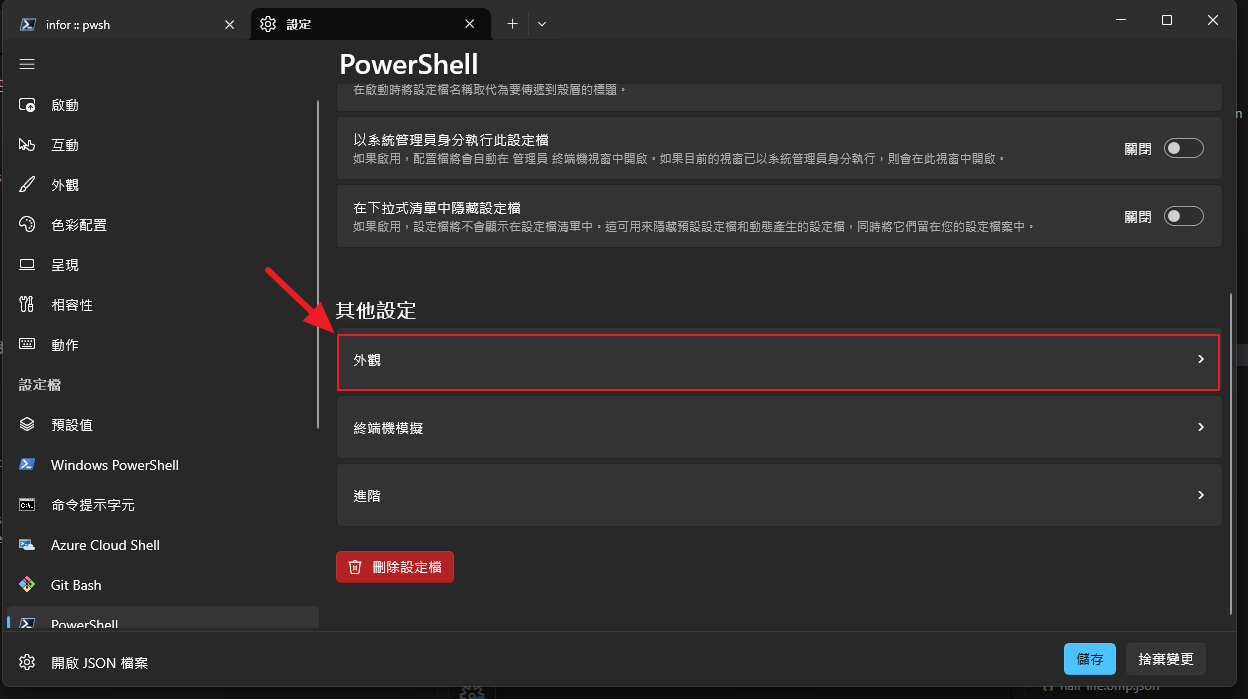
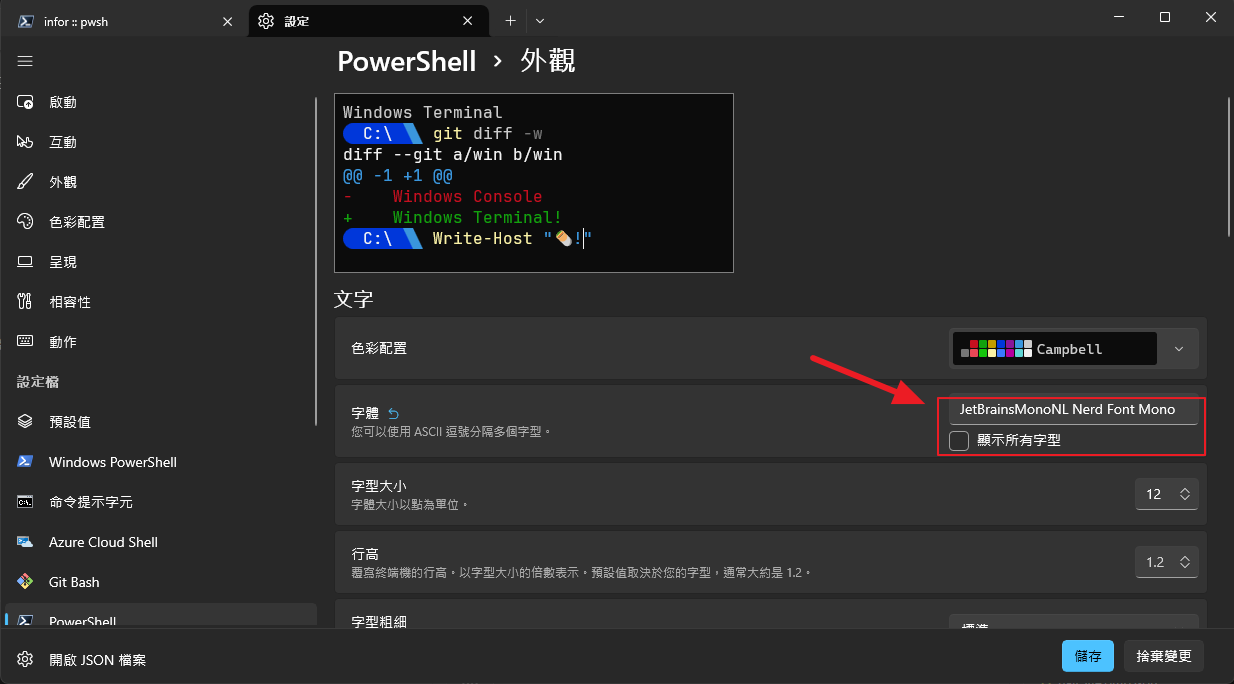
VSCode 設定方式
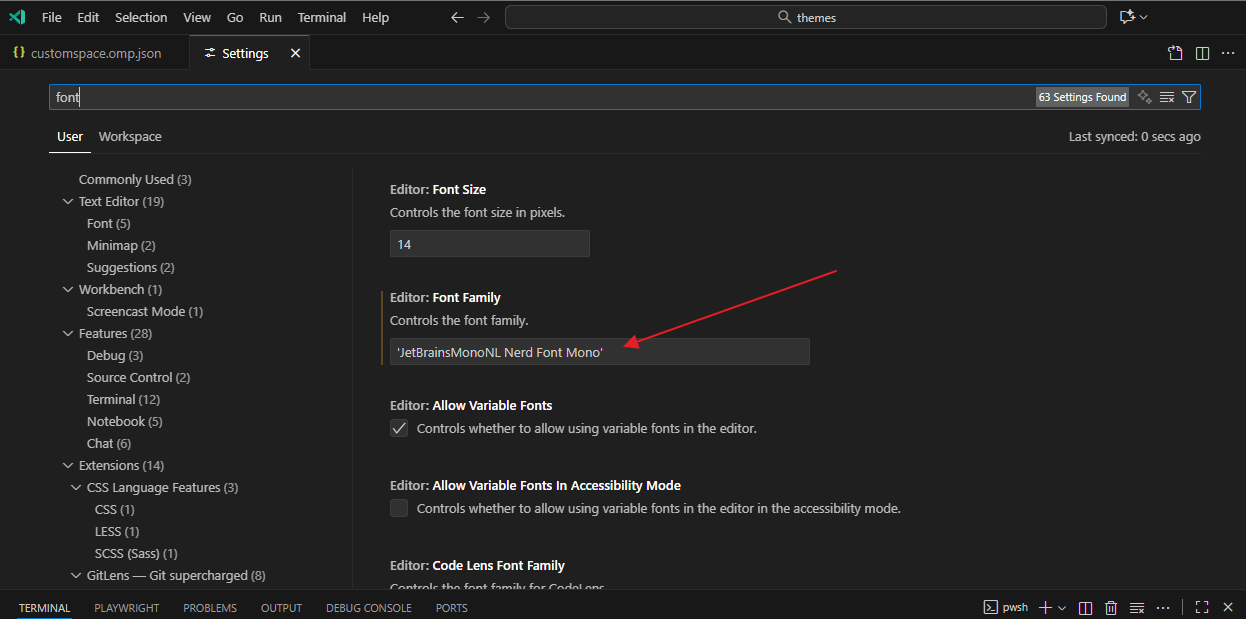
設定方面問題
換行
換行方式需要下在 left 下面一層,才會有效果
    {
      "alignment": "left",
      "segments": [
        {
            //...
        }
      ]
    },
    {
      "alignment": "left",
      "newline": true,
      "segments": [
        {
          "foreground": "#757575",
          "style": "plain",
          "template": "\u2514 ",
          "type": "text"
        },
        {
          "foreground": "#ffffff",
          "style": "plain",
          "template": ">",
          "type": "text"
        }
      ],
      "type": "prompt"
    }
與輸入並行
    {
      "segments": [
        {
          "foreground": "#007acc",
          "style": "plain",
          "template": "{{ .Name }}",
          "type": "shell"
        },
        {
          "foreground": "#ff8080",
          "style": "plain",
          "template": " <#757575,>as</> root",
          "type": "root"
        },
        {
          "foreground": "#689f38",
          "properties": {
            "time_format": "15:04:05"
          },
          "style": "plain",
          "template": " {{ .CurrentDate | date .Format }}",
          "type": "time"
        }
      ],
      "type": "rprompt"
    },
留言