前言
這篇為記錄用途,但也強烈不推薦使用在 git 已經有良好版本時候使用這個招式,否則找不回來原本的版本。
local 加入到 remote
git remote 常見指令如下 :
- 加入遠端:git remote add
<remote name><url> - 觀看遠端列表:git remote
- 觀看遠端列表(包含 rul):git remote -v
- 下載遠端:git clone
<url>
從 local 匯入 remote 有兩種情況 “初始專案”、“離線開發"這種有機會用到這個東西。remote 是為了要上傳到 【github】、【gitlab】之類的 resp 。
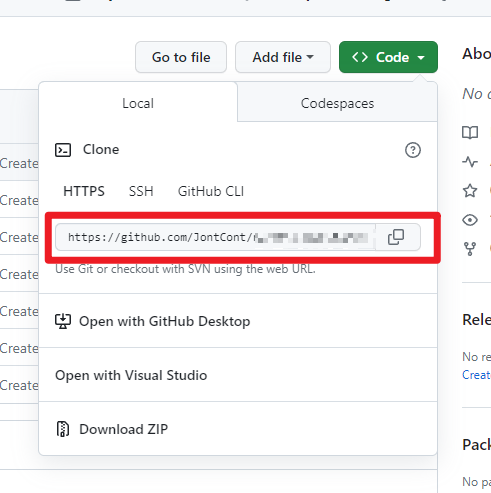
一、取得 repository url
首先,可以先把 repository 創建完畢並且取得 url 即可。
二、加入 remote
git remote add <remote name> <url>
三、Push 專案
備註 : 因為是初始化專案,可以直接使用force,但不推薦有很多 history commits 情況下覆蓋。
git push <remote name> <branch> --force
留言