前言
製作 API 前必須先到 Google Cloud API 完成註冊,過程中會比較繁雜內容請參閱即可。
Google Cloud API
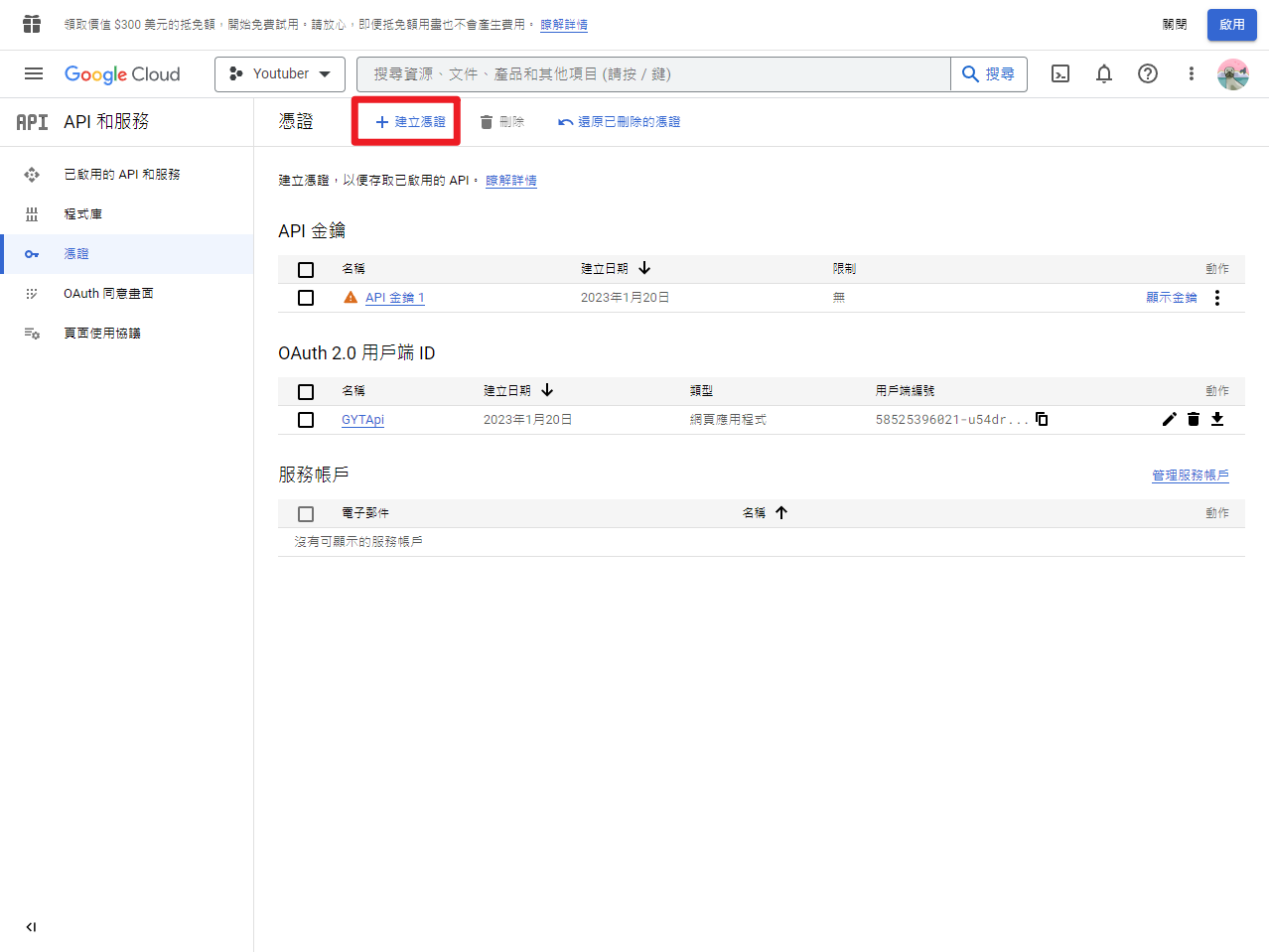
創建憑證
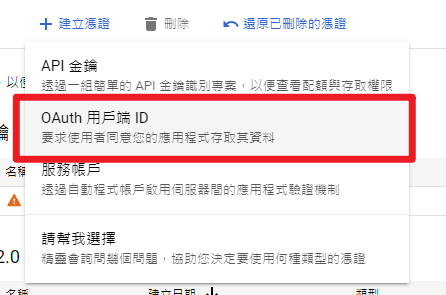
選擇 OAuth 用戶端 ID 。如果不確定授權 URL 可以先跳過。
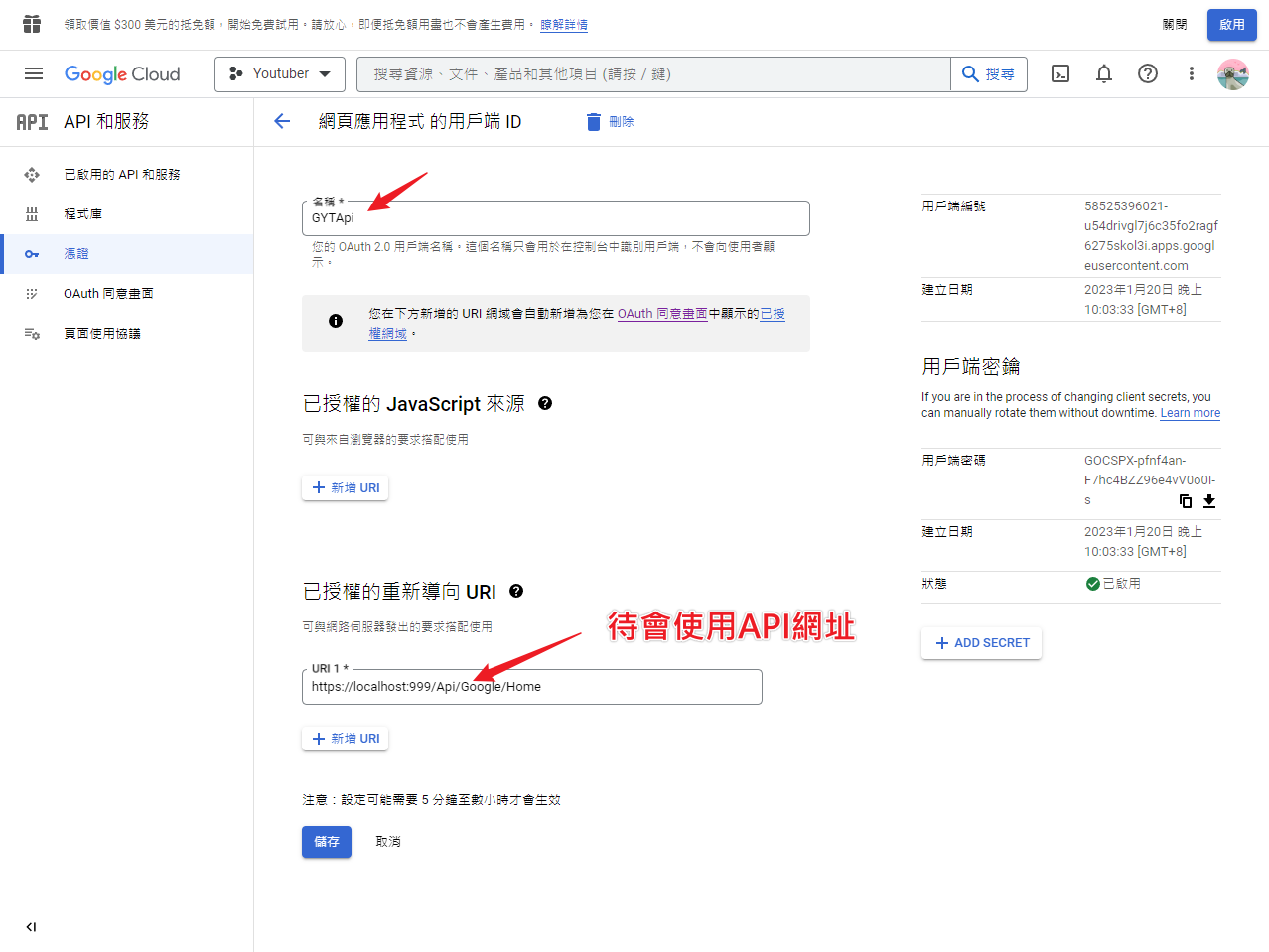
創建專案
架構需要驗證 OAuth2 先確認要設定 “重新導向 URI”,範例使用 https://localhost:999/Api/Google/Home 。
一、取得URL
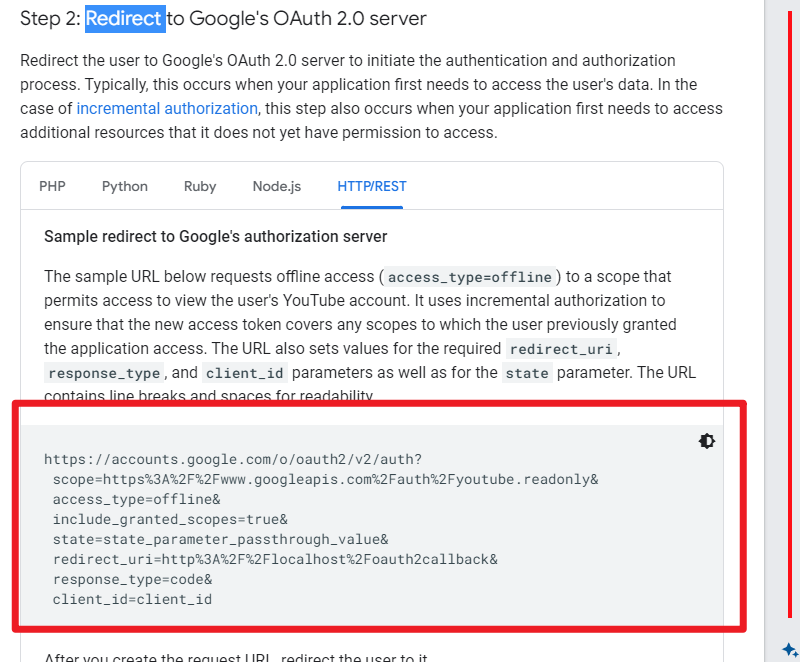
Redirect URL 從 Youtube API 官方網文件可以找得到,原則上直接使用下圖位置的 URL 即可。參數傳值部分官方已經有提供使用方式,因為他有特定傳參數
二、AppSetting.json
{
    "Google": {
    "Oauth": {
      "url": "https://accounts.google.com/o/oauth2/v2/auth",
      "scope": "https://www.googleapis.com/auth/youtube",
      "access_type": "offline",
      "include_granted_scopes": "true",
      "state": "state_parameter_passthrough_value",
      "redirect_uri": "https://localhost:999/Api/Google/Home",
      "response_type": "code",
      "client_id": "client_id",
      "client_secret": "client_secret"
    }
  }
}
製作授權網址
使用 https://localhost:999/Api/Google/Home 網址,必須要確認使用者是否已經是授權登入。
 [HttpGet("Home")]
  public async Task<IActionResult> Home([FromQuery] string code)
  {
      if (string.IsNullOrEmpty(code)) return this.StatusCode(400);

      string accessToken = await this.ExchangeAccessToken(code);
      if (string.IsNullOrEmpty(accessToken))
      {
          return this.StatusCode(400);
      }

      var claims = new List<Claim>
      {
          new Claim("access_token",accessToken ),
          new Claim(ClaimTypes.Role, "nobody"),
      };

      var claimsIdentity = new ClaimsIdentity(
          claims, CookieAuthenticationDefaults.AuthenticationScheme);

      HttpContext.SignInAsync(
          CookieAuthenticationDefaults.AuthenticationScheme,
          new ClaimsPrincipal(claimsIdentity),
          authProperties);
      return this.Redirect("/");
  }

  private async Task<string> ExchangeAccessToken(string code)
  {
      //取得當前 html 字串
      HttpClient client = new();
      client
          .DefaultRequestHeaders
          .Accept
          .Add(
              new MediaTypeWithQualityHeaderValue("text/json")
          );//ACCEPT header
      var request = new HttpRequestMessage(HttpMethod.Post, "https://oauth2.googleapis.com/token");

      request.Content = new FormUrlEncodedContent(
          new Dictionary<string, string>
          {
              ["grant_type"] = "authorization_code",
              ["code"] = code,
              ["redirect_uri"] = Config.GetConfiguration().GetValue<string>("Google:Oauth:redirect_uri").ToString(),
              ["client_id"] = Config.GetConfiguration().GetValue<string>("Google:Oauth:client_id").ToString(),
              ["client_secret"] = Config.GetConfiguration().GetValue<string>("Google:Oauth:client_secret").ToString(),
          });

      var response = await client.SendAsync(request);

      if (response.StatusCode != HttpStatusCode.OK) return "";
      var content = await response.Content.ReadAsStringAsync();
      var result = JsonNode.Parse(content);
      return result["access_token"]?.ToString()??"";
  }
加入登入 API
這邊是使用 AppSetting.json 設定好的參數串出網址,請各位讀者自行評估。
  [HttpGet("Login")]
  public ActionResult Login()
  {

      string redirectUrl = Get_Oauth2Url();

      return Redirect(redirectUrl);
  }

    private string Get_Oauth2Url()
    {
        string resultUrl = Config.GetConfiguration().GetValue<string>("Google:Oauth:url").ToString();
        var obj = new
        {
            scope = Config.GetConfiguration().GetValue<string>("Google:Oauth:scope").ToString(),
            access_type = Config.GetConfiguration().GetValue<string>("Google:Oauth:access_type").ToString(),
            include_granted_scopes = Config.GetConfiguration().GetValue<string>("Google:Oauth:include_granted_scopes").ToString(),
            state = Config.GetConfiguration().GetValue<string>("Google:Oauth:state").ToString(),
            redirect_uri = Config.GetConfiguration().GetValue<string>("Google:Oauth:redirect_uri").ToString(),
            response_type = Config.GetConfiguration().GetValue<string>("Google:Oauth:response_type").ToString(),
            client_id = Config.GetConfiguration().GetValue<string>("Google:Oauth:client_id").ToString(),
        };

        List<string> resultData = new();
        Type type = obj.GetType();
        var props = type.GetProperties();
        foreach (var prop in props)
        {
            string paramName = prop.Name;
            object paramValue =prop.GetValue(obj, null)??"";
            if (paramValue == null) { continue; }
            resultData.Add(paramName + "=" + paramValue.ToString());
        }
        return resultUrl + "?" + string.Join("&", resultData);
    }
登入帳號
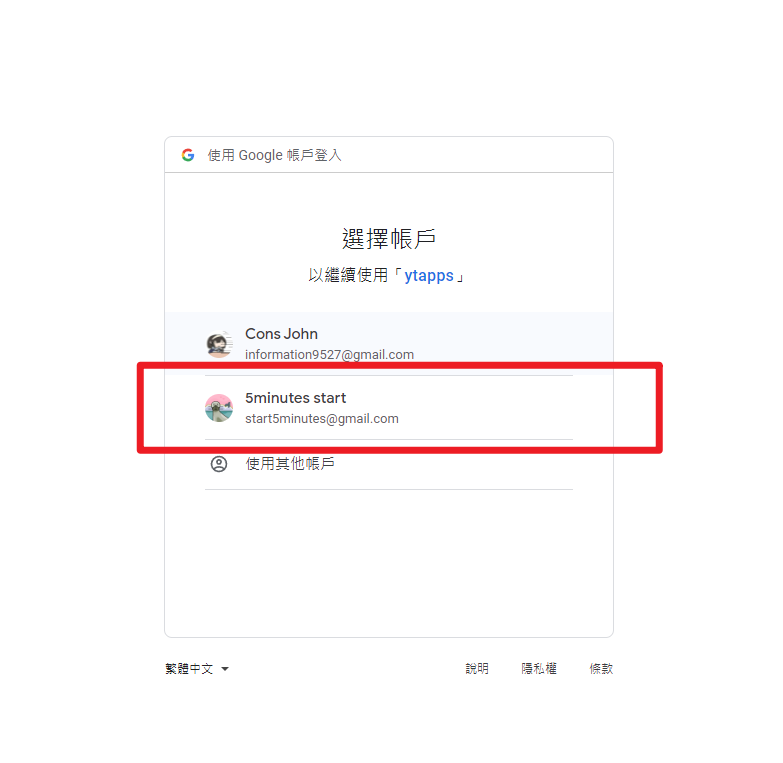
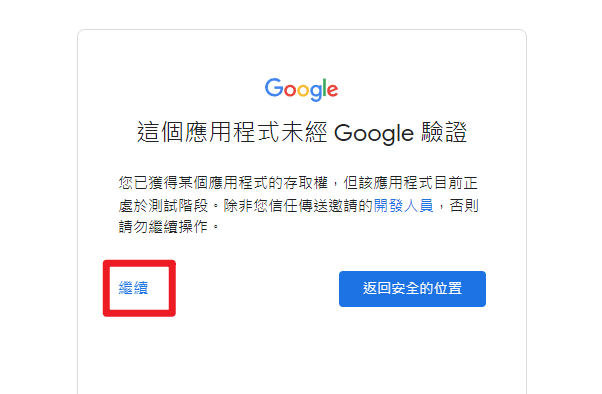
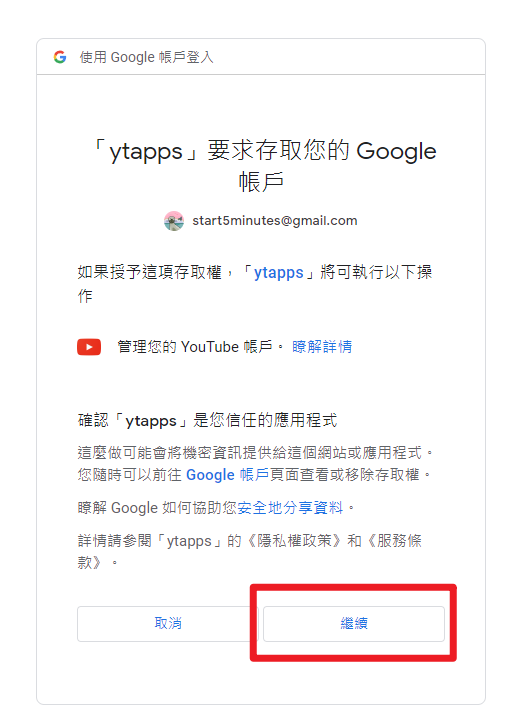
把剛才製作的授權網址點開 https://localhost:999/Api/Google/Login 完成授權即可。
留言