前言
交接前夕曾經丟了 EF 環境忘記把注意事項列給他們,包含自己不時會忘記這個使用方式。DBContext其實可以本身就可以讓空白DB創建出來,主要問題是如何使用無 .sql 之類檔案來建置、開啟環境。
Code First
顧名思義是由 Code 決定有甚麼資料、對應寫回DB。如果假設一開始使用 DB First 也沒關係,兩者是不影響本章節。
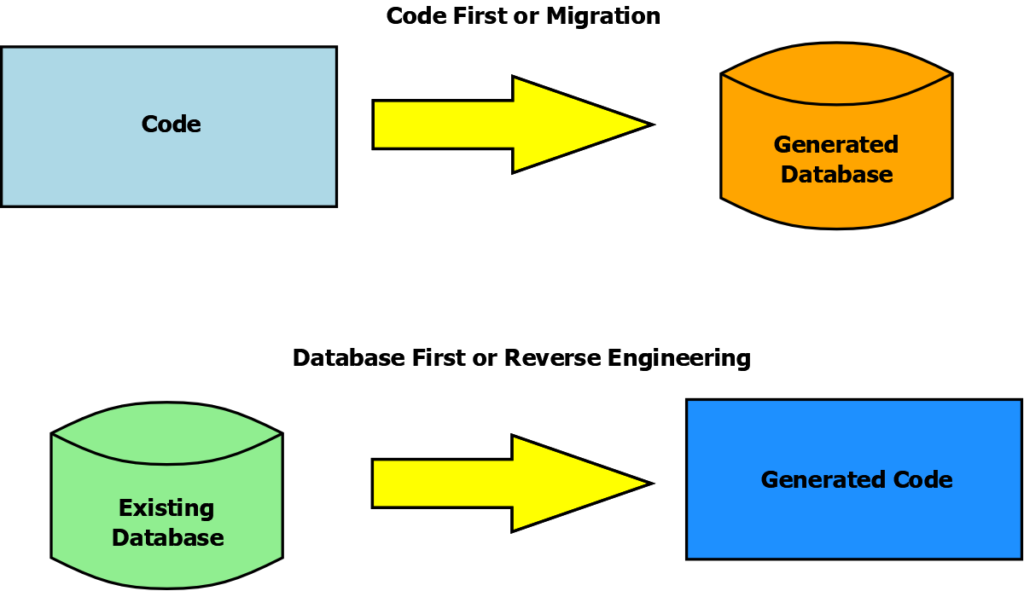
前置作業
建立類別(資料模型)
DB First 會自動創建 類別,所以無需加入類別檔案。若是 Code First 可以參考 【ATai】大大如何使用。
public class Post
{
    public int Id { get; set; }
    public int UserId { get; set; }
    public string Title { get; set; }
    public string Content { get; set; }
    public int Read { get; set;}
    public virtual User User { get; set; }
}
public class User
{
    public int Id { get; set; }
    public string UserName { get; set; }
    public ICollection<Post> Posts { get; set; }
}
建立DBContext
需要定義連線字串以及資料模型。
public class BlogContext : DbContext
{

public BlogContext() { }

public BlogContext(DbContextOptions<BlogContext> options) : base(options) { }

protected override void OnConfiguring(DbContextOptionsBuilder optionsBuilder)
{
    optionsBuilder.UseMySql("server=localhost;port=3306;database=Blog;user=root;password=test1234");
}

public DbSet<Post> Posts { get; set; }
public DbSet<User> Users { get; set; }
}
使用 Migration
Migration 是 Entity Framework 中用於管理資料庫架構變更的機制之一。它允許您透過撰寫 C# 代碼來描述資料庫架構的變更,並將這些變更應用到資料庫中。
當您執行 Migration 時,EF Core 會生成 SQL 語句,這些語句將變更應用到資料庫。這些 SQL 語句可以應用到任何支援的關聯式資料庫中,包括 Microsoft SQL Server、MySQL、PostgreSQL 等。
需要取得的套件
創建 Migration
DB First 需要執行這段,主要原因是為了抓取當前 DbContext 紀錄,概念如同快照一樣。
dotnet ef migrations add init --context BlogContext
更新目標資料庫
dotnet ef database update --context BlogContext
參考資料
- 【Entity Framework Core 的 CodeFirst與資料庫版控 - 我與 ASP.NET Core 3 的 30天 】: https://ithelp.ithome.com.tw/articles/10240606
留言