無法發佈問題
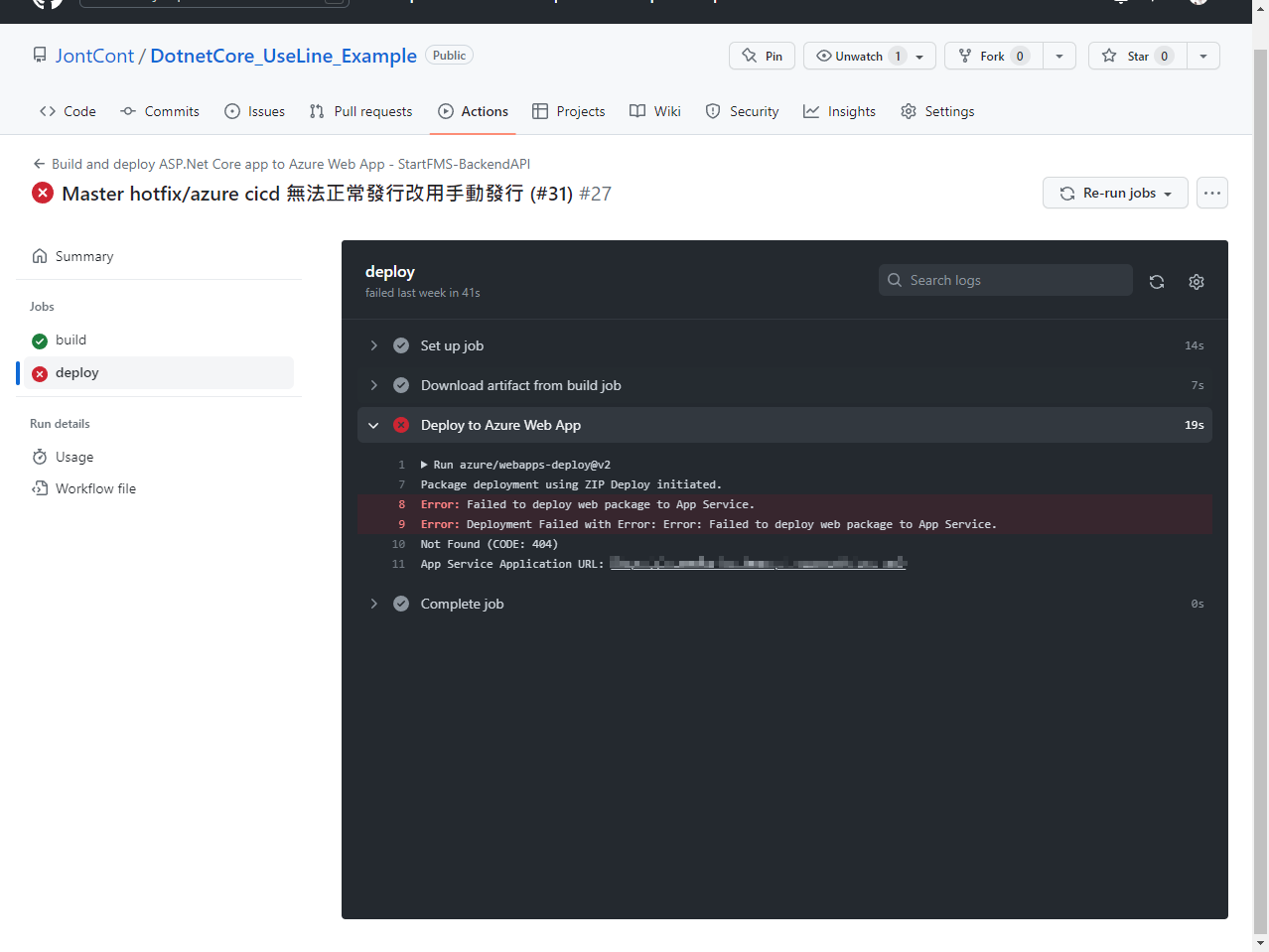
開發完成後,開心進行發佈專案發現不能發行通過,看到這畫面非常錯愕Azure不可能因為是有免費限制這樣搞我吧 。
Error: Failed to deploy web package to App Service.
Error: Deployment Failed with Error: Error: Failed to deploy web package to App Service.
原因
Cache 已經使用超出 10GB 無法再使用,而且不能清除Cache 容量相當麻煩。
解決方式
解決方是相當簡單,只要把發行至 Azure 移至上面即可,並把 actions/upload-artifact@v2移除。以下參考
創建參數
env:
  AZURE_WEBAPP_NAME: StartFMS-BackendAPI    # set this to your application's name
  AZURE_WEBAPP_PACKAGE_PATH: '.'      # set this to the path to your web app project, defaults to the repository root
  DOTNET_VERSION: '6.0.x'           # set this to the dot net version to use
deploy 區塊只保留 “Deploy to Azure Web App”
  - name: Deploy to Azure Web App
    id: deploy-to-webapp
    uses: azure/webapps-deploy@v2
    with:
      app-name: 'StartFMS-BackendAPI'
      slot-name: 'Production'
      publish-profile: ${{ secrets.AZUREAPPSERVICE_PUBLISHPROFILE_xxxxxxxxxxxxxxxxx }}
      package: .
成品如下
# Docs for the Azure Web Apps Deploy action: https://github.com/Azure/webapps-deploy
# More GitHub Actions for Azure: https://github.com/Azure/actions

name: Build and deploy ASP.Net Core app to Azure Web App - StartFMS-BackendAPI

on:
  push:
    branches:
      - master
  workflow_dispatch:

env:
  AZURE_WEBAPP_NAME: StartFMS-BackendAPI    # set this to your application's name
  AZURE_WEBAPP_PACKAGE_PATH: '.'      # set this to the path to your web app project, defaults to the repository root
  DOTNET_VERSION: '6.0.x'           # set this to the dot net version to use


jobs:
  build:
    runs-on: windows-latest # 若使用 net core 可以改成 ubuntu-latest

    steps:
      - uses: actions/checkout@v2

      - name: Set up .NET Core
        uses: actions/setup-dotnet@v1
        with:
          dotnet-version: '6.0.x'
          include-prerelease: true

      - name: Build with dotnet
        run: dotnet build --configuration Release

      - name: dotnet publish
        run: dotnet publish -c Release -o ${{env.DOTNET_ROOT}}/myapp

      - name: Deploy to Azure Web App
        id: deploy-to-webapp
        uses: azure/webapps-deploy@v2
        with:
          app-name: 'StartFMS-BackendAPI'
          slot-name: 'Production'
          publish-profile: ${{ secrets.AZUREAPPSERVICE_PUBLISHPROFILE_xxxxxxxxxxxxxxxxx }}
          package: .
留言