前置作業
準備工具、網址
- Chocolatey : https://chocolatey.org/
- Live Server : https://marketplace.visualstudio.com/items?itemName=ritwickdey.LiveServer
安裝方式
- 開啟系統管理員 Powershell 安裝 Chocolatey
Set-ExecutionPolicy Bypass -Scope Process -Force; [System.Net.ServicePointManager]::SecurityProtocol = [System.Net.ServicePointManager]::SecurityProtocol -bor 3072; iex ((New-Object System.Net.WebClient).DownloadString('https://community.chocolatey.org/install.ps1'))
- 安裝 mkcert
choco install mkcert
Mkcert使用步驟
一、創建專案
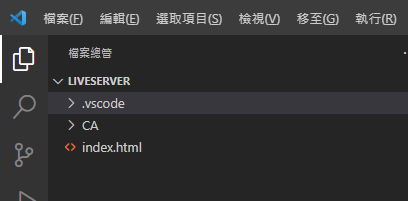
二、創建本機CA
mkcert localhost
三、設定 setting 參數
{
    "liveServer.settings.host": "localhost",
    "liveServer.settings.https": {
        "enable": true, //set it true to enable the feature.
        "cert": "E:\\LiveServer\\CA\\localhost.pem", //full path
        "key": "E:\\LiveServer\\CA\\localhost-key.pem", //full path
        "passphrase": "12345"
    },
}
執行
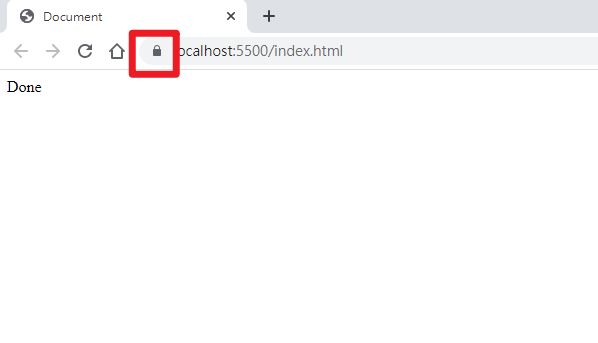
打開後,上方就可以看到是否有沒有 SSL。
留言